Custom Endpoints
Connect your own endpoint to any provider in vLLora. This allows you to use custom API gateways, self-hosted models, or OpenAI-compatible proxies.
Configuration
To configure a custom endpoint:
- Navigate to Providers in the settings.
- Select the provider you want to configure
- Select "Use Custom Endpoint"
- Enter your Endpoint URL (e.g.,
https://api.example.com) - Enter your API Key
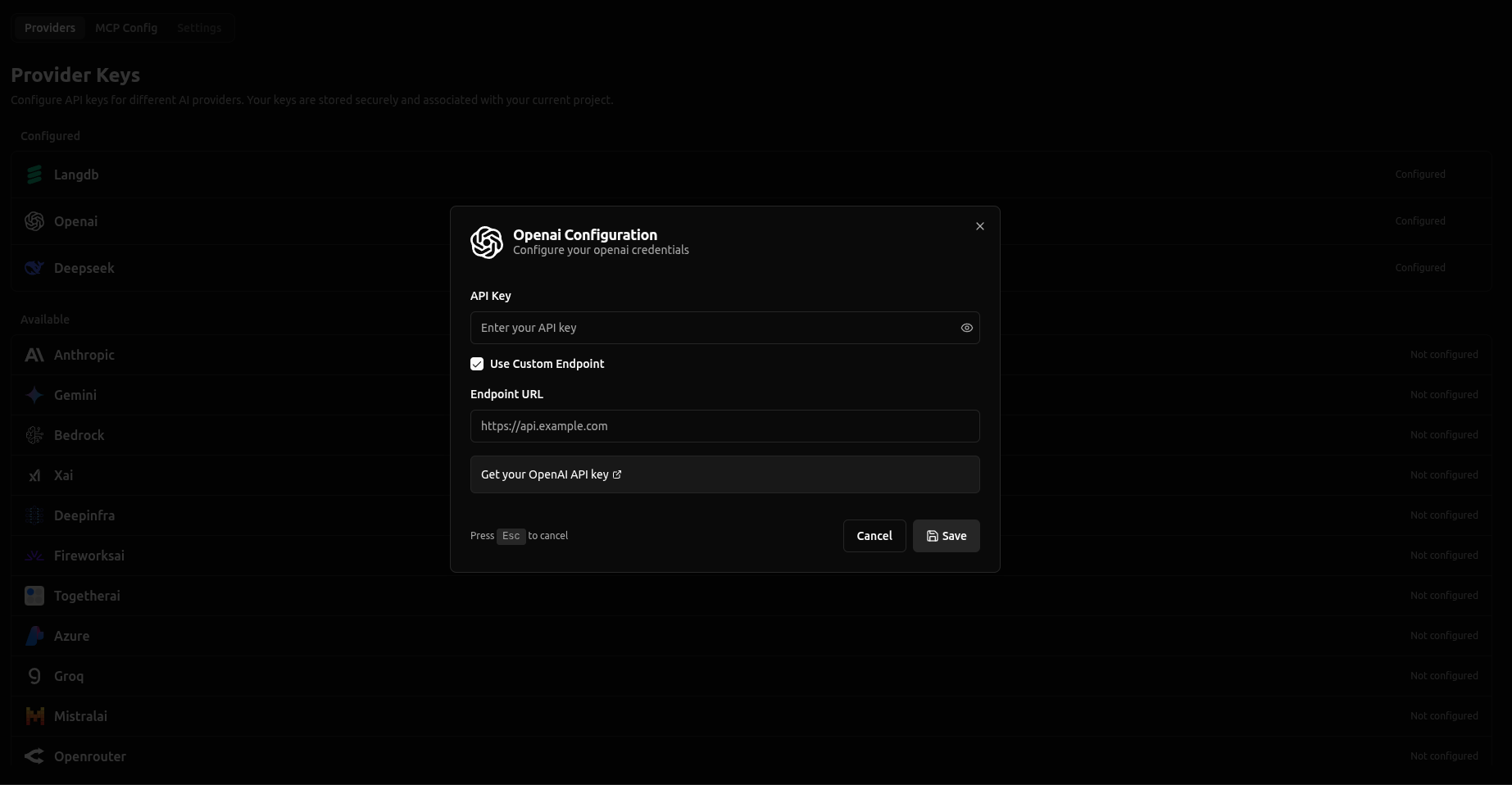
That's it! vLLora will now use your custom endpoint instead of the default provider endpoint.
Using Custom Endpoints
No changes are needed when calling models. You continue to use the same model naming convention. For example, if you configured a custom endpoint for OpenAI, you would still call models as:
openai/your-model-name
The custom endpoint is used automatically in the background—your API calls remain the same.