0.1.23
General bug fixes and improvements.
General bug fixes and improvements.
Introducing Lucy, a trace-native debugging assistant built directly into vLLora. Lucy reads your threads and traces end-to-end and tells you what went wrong, why it happened, and what to do next - without you having to manually scroll through hundreds of spans.
Read more about Lucy in our blog post.
What Lucy can help with:
This release introduces Distri Agent Support, enabling distributed agent execution directly within vLLora. Distri agents are automatically downloaded, registered, and managed with real-time status reporting and health monitoring.
Additional improvements include enhanced Lucy configuration management for agents, OTLP metrics port configuration, project slug support across services, and run overview totals for better visibility into trace statistics.
vLLora now includes a CLI tool that brings trace inspection and debugging capabilities directly to your terminal. The CLI enables fast iteration, automation workflows, and local reproduction of LLM traces without leaving your terminal.
The CLI provides commands to:
Learn more in the vLLora CLI documentation.
This release also introduces Custom Providers and Models, allowing you to register your own API endpoints and model identifiers. Connect to self-hosted inference engines (like Ollama or LocalAI), private enterprise gateways, or any OpenAI-compatible service using a namespaced format (provider/model-id). Configure providers and models through Settings or the Chat Model Selector.
Learn more in the Custom Providers and Models documentation.
vLLora now includes an MCP Server that exposes trace and run inspection as tools for coding agents. Debug, fix, and monitor your AI agents directly from your terminal or IDE by connecting Claude Desktop, Cursor, or any MCP-capable client to vLLora's MCP endpoint.
The MCP server provides tools to:
Learn more in the MCP Server documentation.
vLLora now supports Custom Endpoints, allowing you to connect your own API endpoints to any provider. Simply provide your endpoint URL and API key through the Provider Keys UI, and vLLora will route requests to your custom endpoint instead of the default provider endpoint.
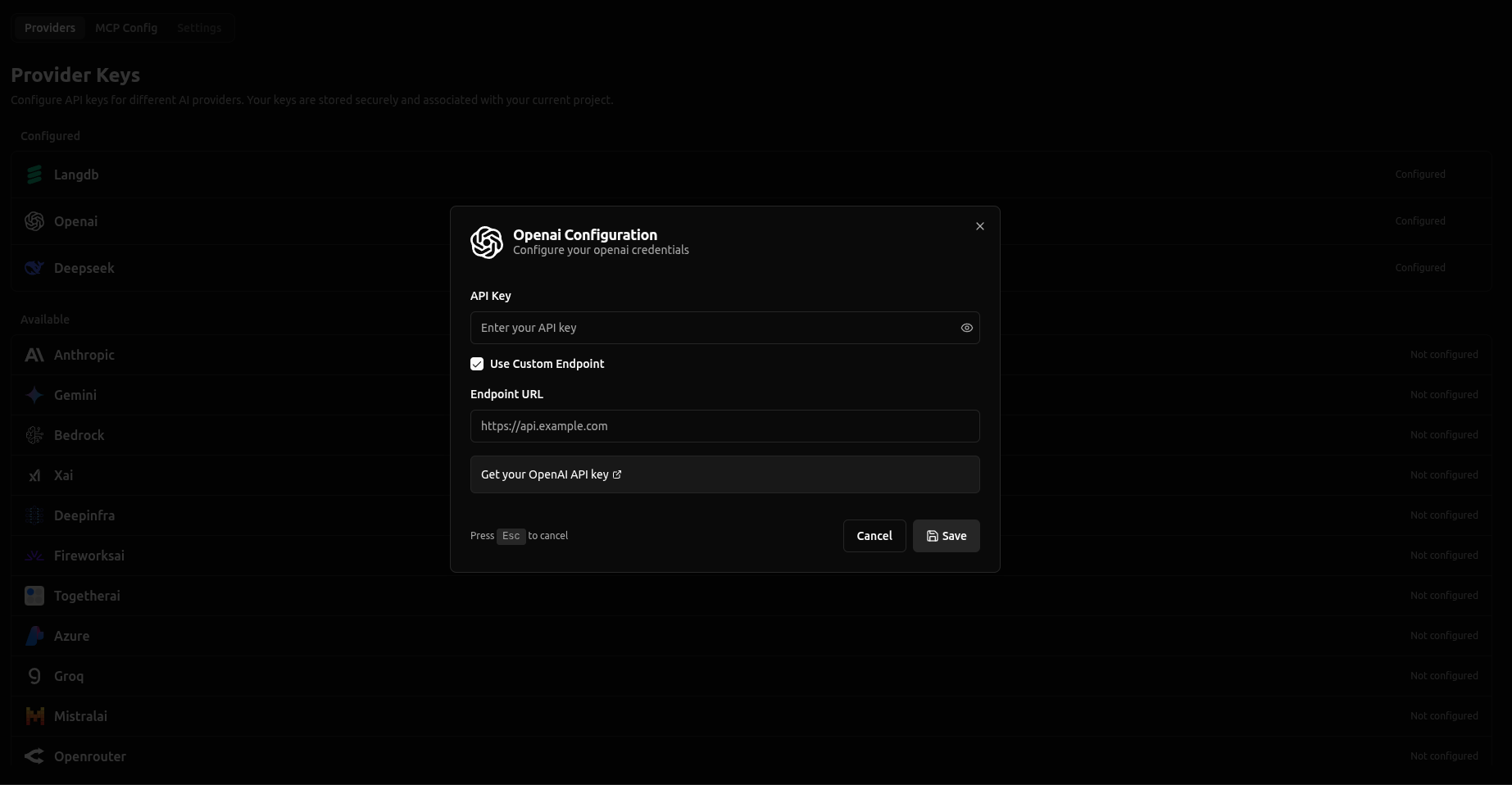
This feature enables you to:
Learn more in the Custom Endpoints documentation.
Added support for the responses API for vllora_llm (see responses API docs) and related updates.
Fixed bugs improving UI stability, cost calculations, and API endpoint behavior. Key improvements include fixes for debug mode span display, visual diagram interactions, and pagination handling.
Introducing Debug Mode, an interactive debugging feature that lets you pause LLM requests before they're sent to the model. With debug mode enabled, you can inspect the full request payload, edit messages, parameters, and tool schemas in real time, then continue execution with your modifications—all without changing your application code.
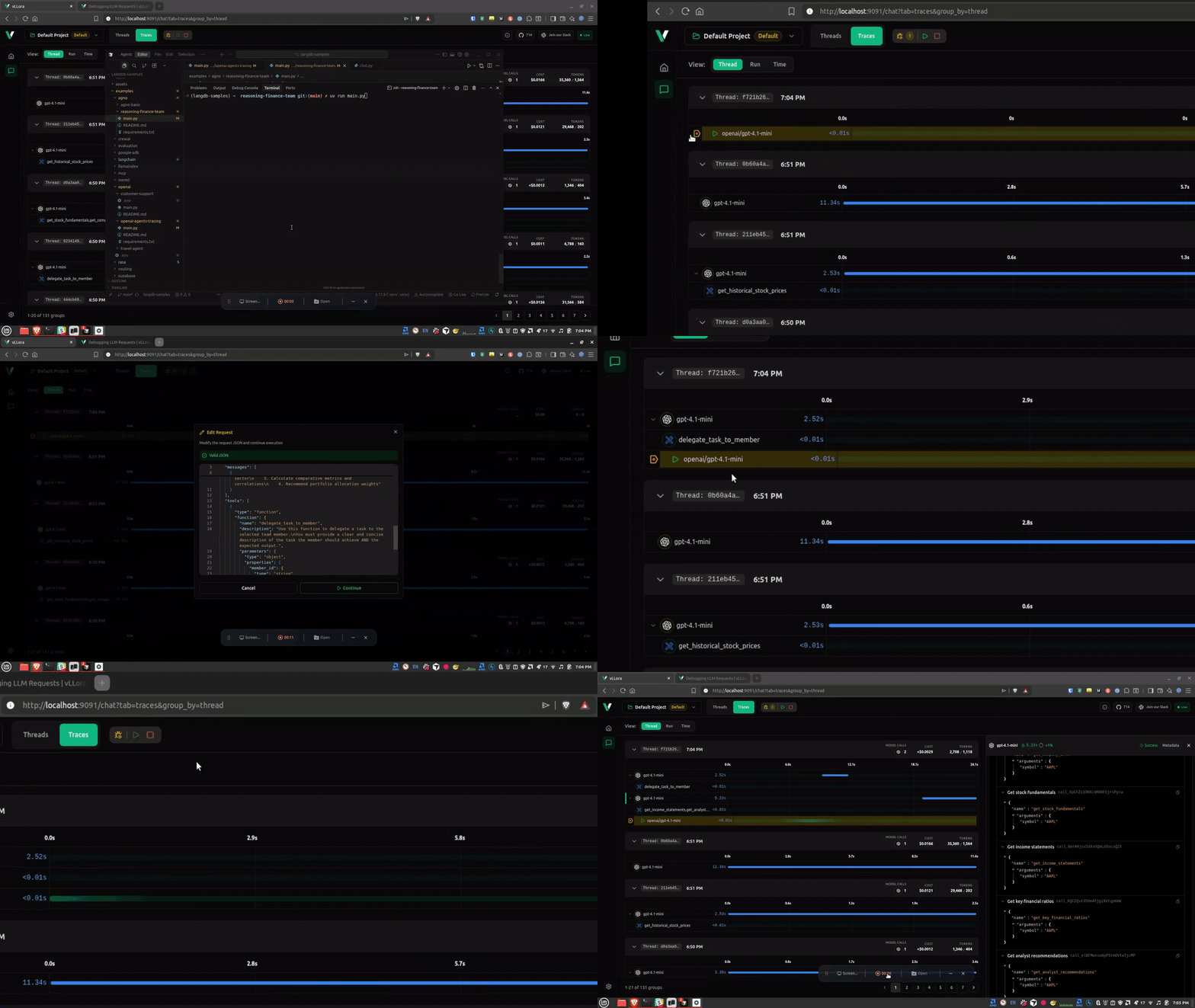
Debug mode is perfect for debugging agent prompts, verifying model selection, inspecting tool schemas, and tuning parameters on the fly. Simply enable the breakpoint toggle in the Traces view, and every outgoing LLM request will pause for inspection and editing.
With debug mode you can:
Learn more in the Debug Mode documentation.
Introducing vllora_llm crate, a standalone Rust library that provides a unified interface for interacting with multiple LLM providers through the vLLora AI Gateway. The crate enables seamless chat completions across OpenAI-compatible, Anthropic, Gemini, and Bedrock providers, with built-in streaming support and telemetry integration.
use vllora_llm::client::VlloraLLMClient;
use vllora_llm::types::gateway::{ChatCompletionRequest, ChatCompletionMessage};

#[tokio::main]
async fn main() -> Result<(), Box<dyn std::error::Error>> {
    let request = ChatCompletionRequest {
        model: "gpt-4.1-mini".to_string(),
        messages: vec![
            ChatCompletionMessage::new_text("user".to_string(), "Say hello!".to_string()),
        ],
        ..Default::default()
    };

    let client = VlloraLLMClient::new();
    let response = client.completions().create(request).await?;
    Ok(())
}
General bug fixes and improvements.
Introducing Clone Request & Experiments, a powerful new feature that enables you to A/B test prompts, compare models, and iterate on LLM requests directly from your traces. Clone any finished trace into an isolated experiment where you can safely tweak parameters, switch models, or modify prompts without affecting the original request.
The Experiment feature provides two editing modes: a Visual Editor for intuitive prompt tweaking and a JSON Editor for precise parameter control. Edit system and user messages, switch models on the fly, adjust temperature and other parameters, and run experiments with side-by-side comparison of tokens, costs, and outputs—all without ever touching your original trace.
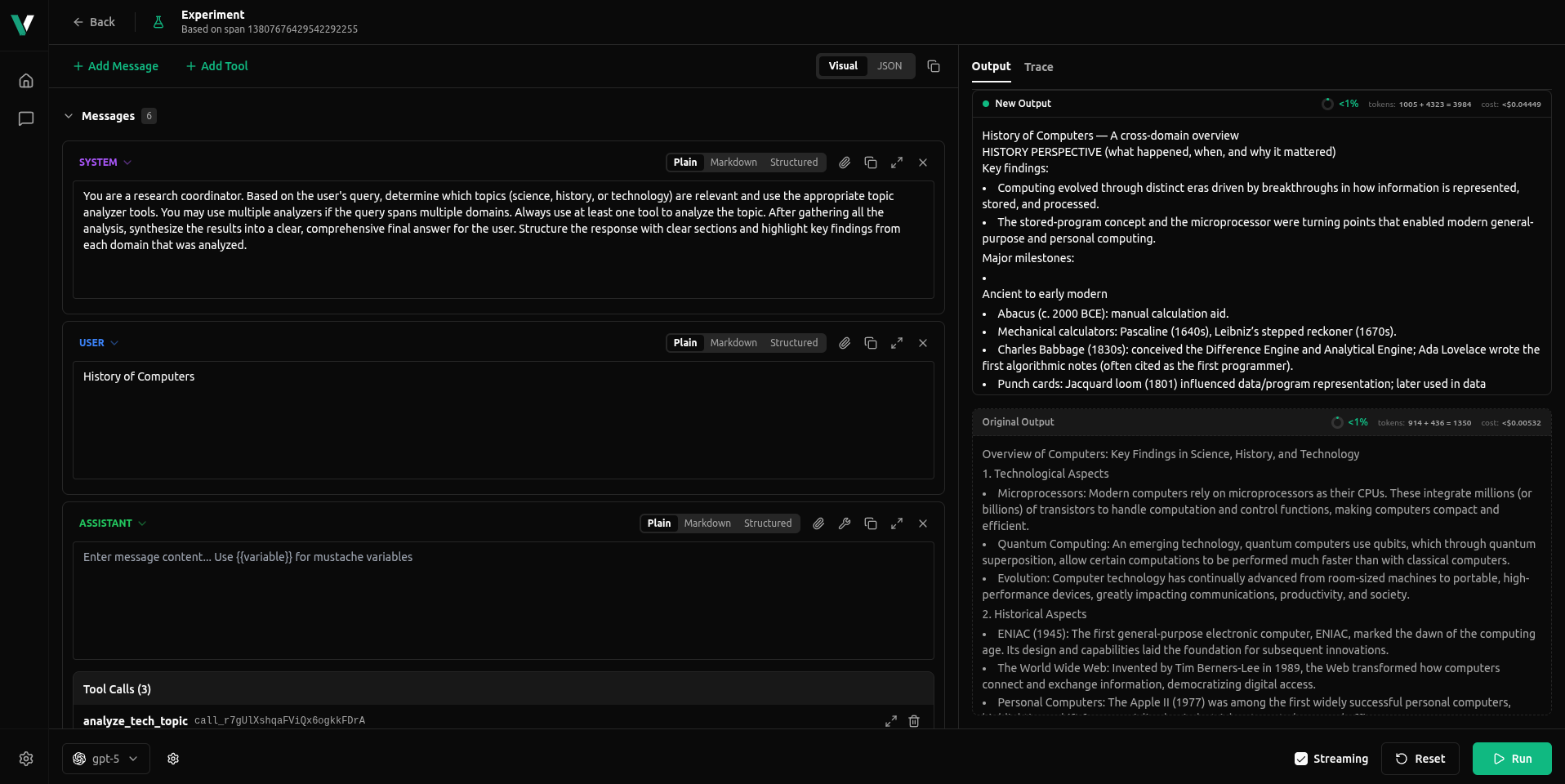
Perfect for prompt engineering, model comparison, parameter tuning, and iterative debugging. Learn more in the Clone and Experiment documentation.
Other improvements in this release:
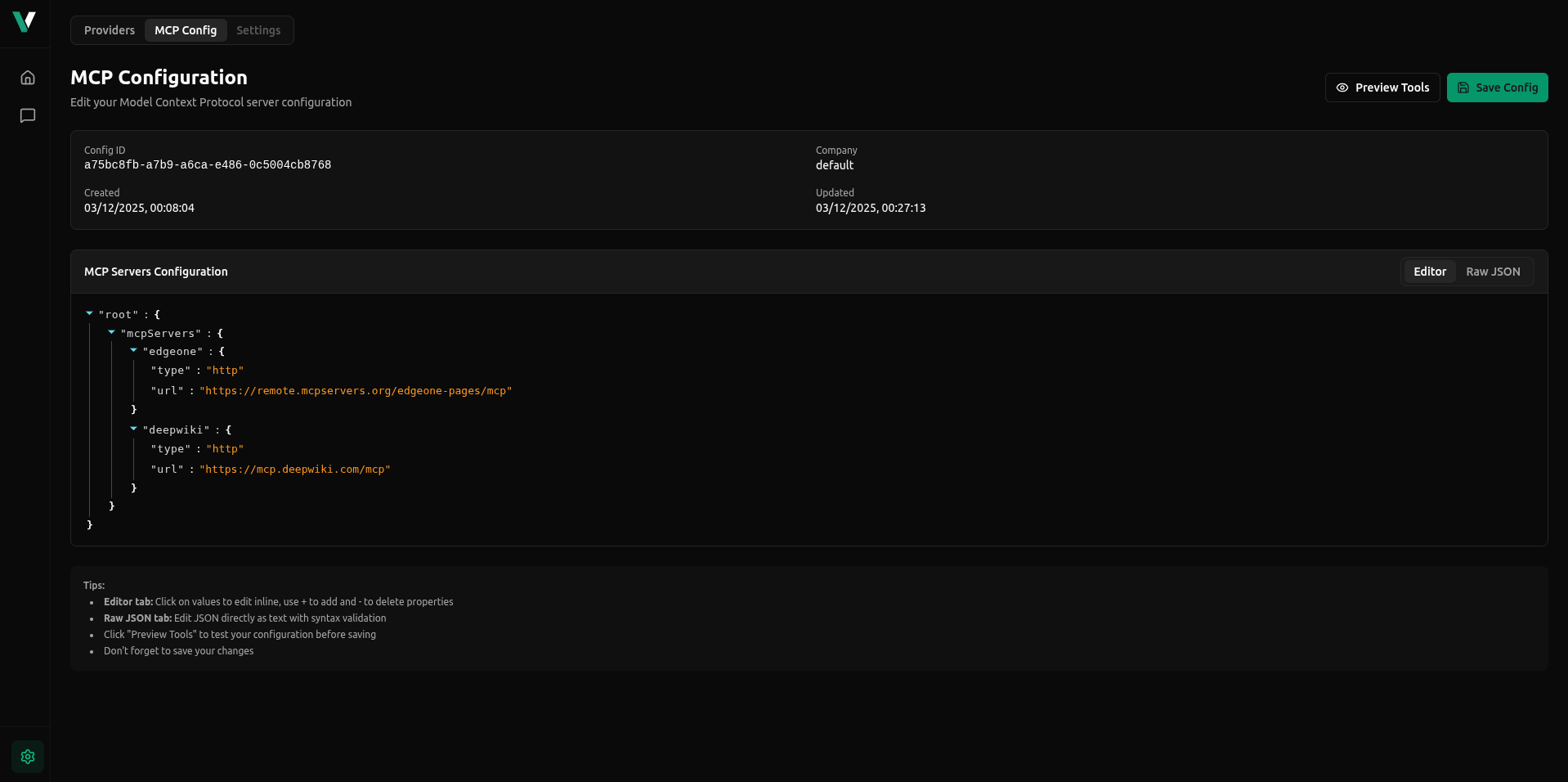
Introducing MCP Support, enabling seamless integration with Model Context Protocol servers. Connect your AI models to external tools, APIs, databases, and services through HTTP, SSE, or WebSocket transports. vLLora automatically discovers MCP tools, executes tool calls on your behalf, and traces all interactions—making it easy to extend your models with dynamic capabilities.
Other improvements in this release
model@version syntax for flexible model selection